
How to fix the Microsoft Teams “Send a Code” Error
1. To fix this we need to sign out. The screen that asks for the code needs to be closed. Please close the below window:
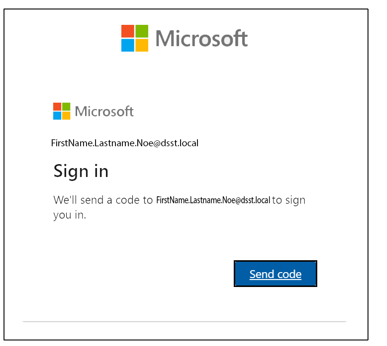
2. It may pop up a second time, if it does please close it again. A new screen will pop up saying "Uh oh Something is wrong". Do not hit "Try Again"
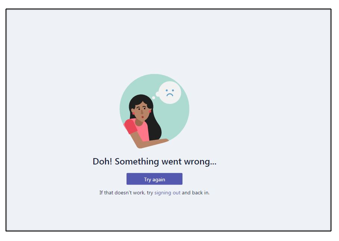
3. It will offer to restart, instead, choose the "Signing out" button below the "Try Again" button.

Note: If the button doesn't work, maximize the window.
4. It will then restart, please login with your dsst email now
(firstname.lastname.sch[school abreviation]@scienceandtech.org)
Note: The box may show firstname.Lastname.Noe@dsst.local, this is incorrect. Change to the above format. Then hit sign in.
Comments
0 comments
Please sign in to leave a comment.