
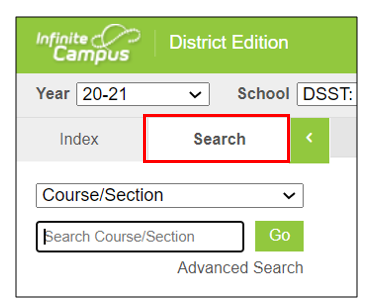
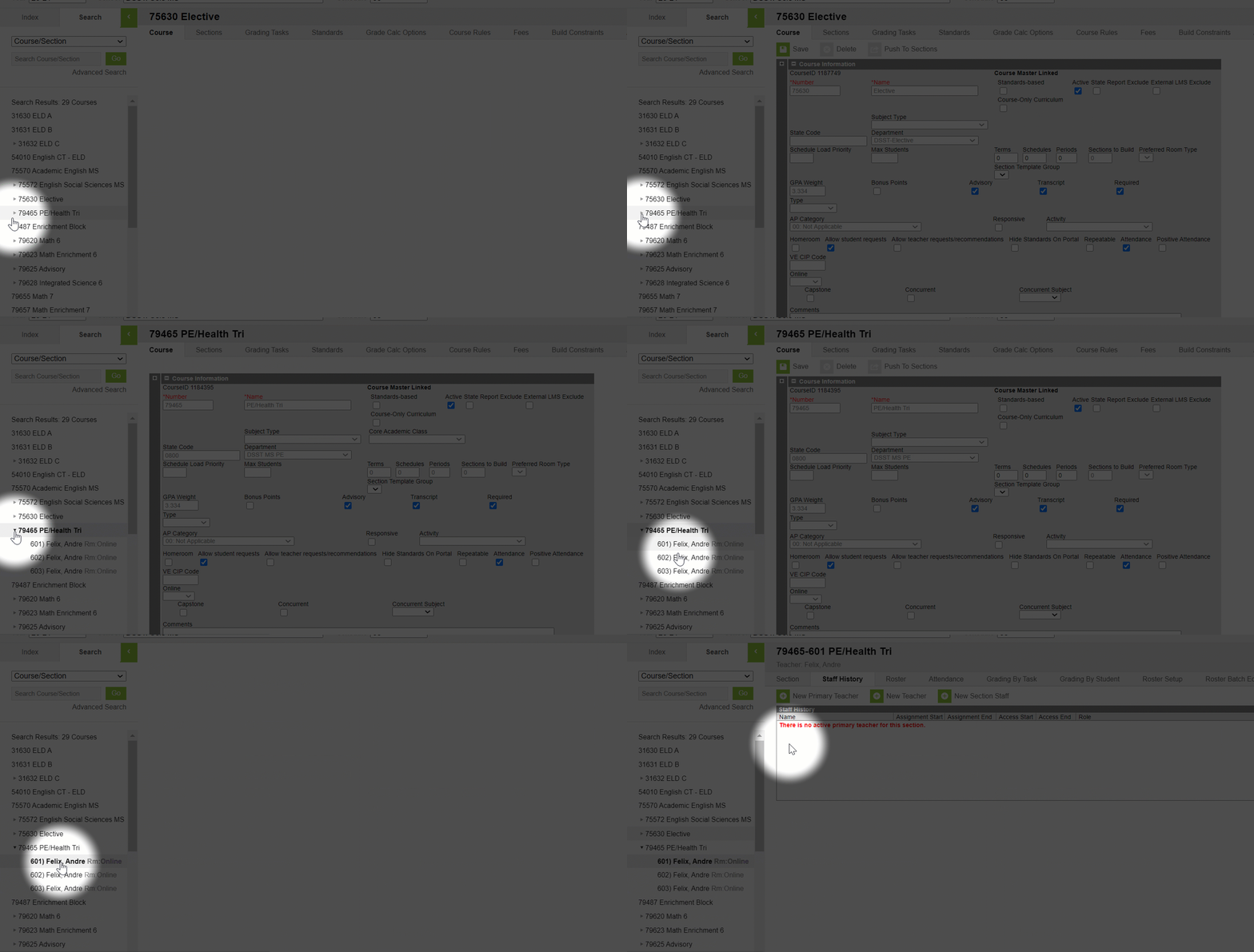
1. Go to the "Search" tab in Infinite Campus.
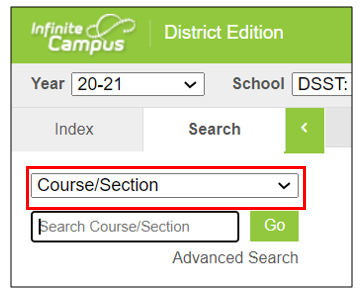
2. Click on the drop-down menu and choose "Course/Section".
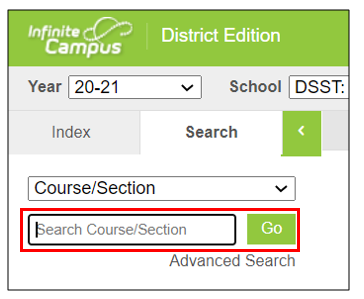
3. Type in the course name in the search box and click "Go". Click on "Advanced Search" if you'd like to search by teacher's name.
4. Find Section: Click on the ➤ Next to the course number and course name to expand the section.
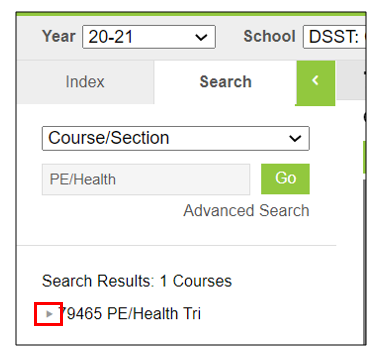
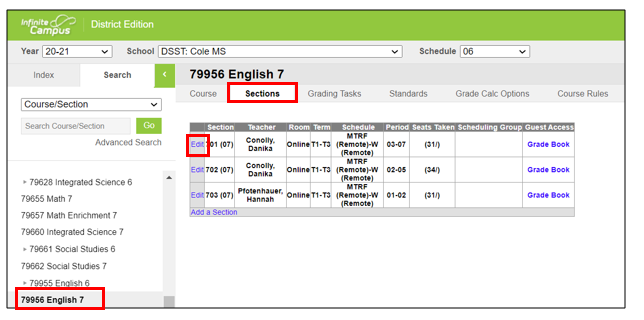
If you don't see an ➤ to expand, click on the course number and name, and go to the sections tab.
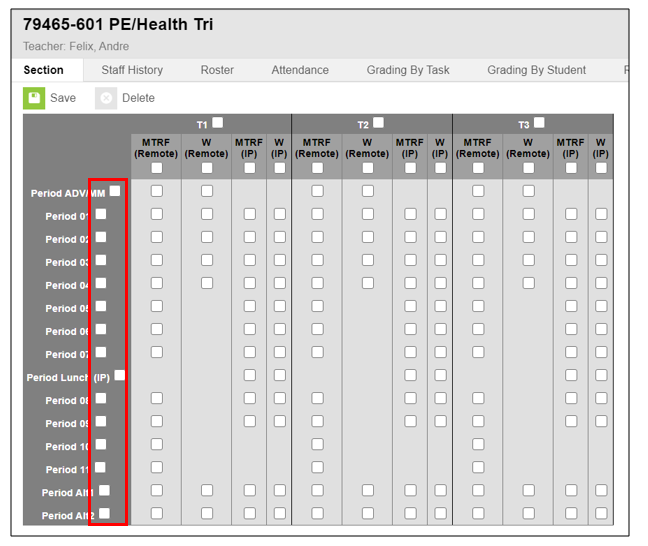
5. To quickly schedule the student without individually checking all the appropriate boxes for each trimester, click on the box next to the Period to schedule for T1, T2, and T3.
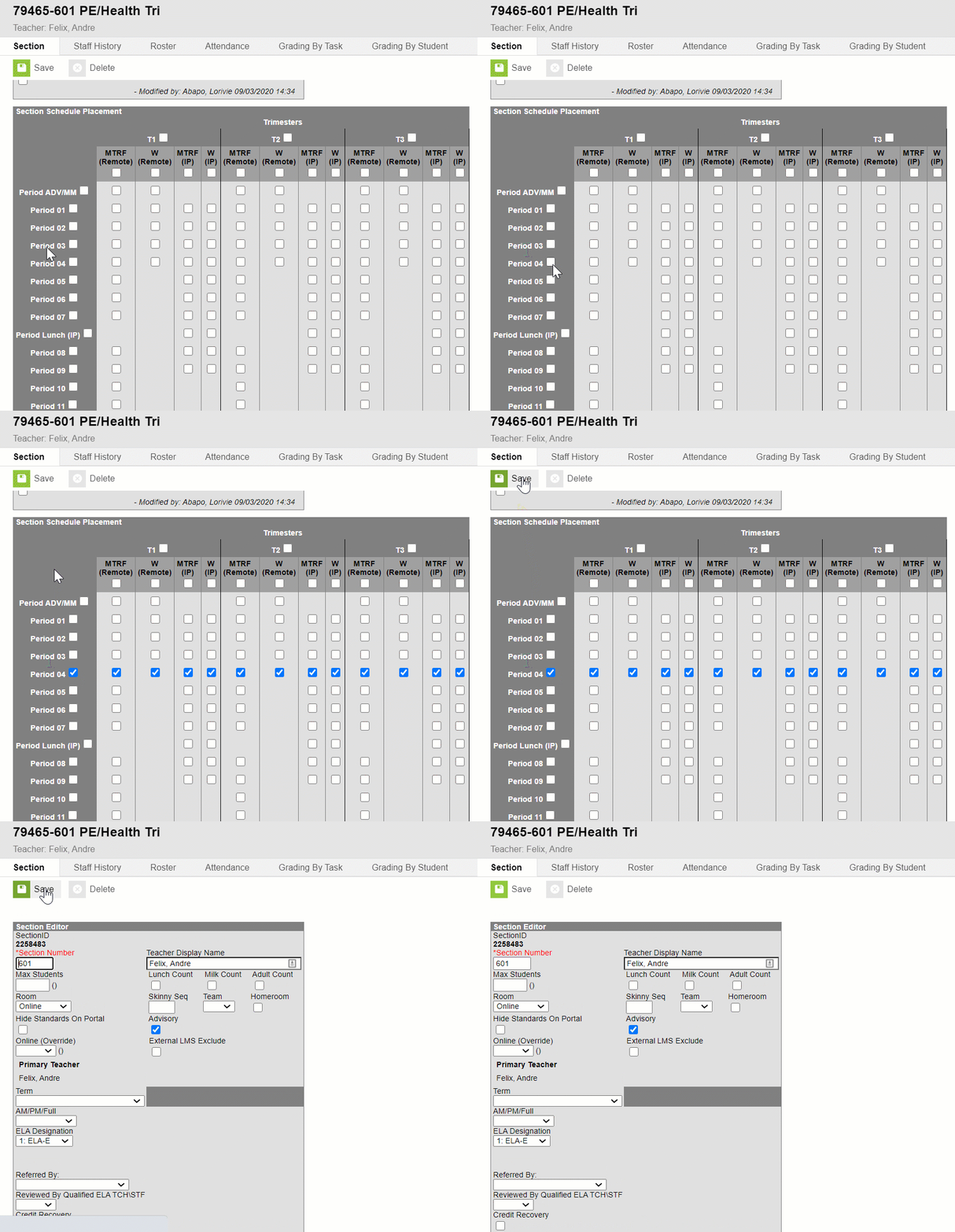
5. Click "Save".
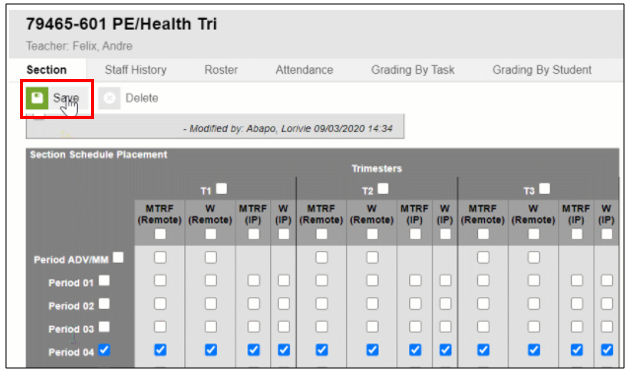
Bonus tip! If you click on the boxes next to the period again, it will remove all the checkboxes in T1, T2, and T3. Sometimes its easier to click on the checkboxes for the whole period rather than unclicking every individual checkbox for T1, T2, and T3.
Comments
0 comments
Please sign in to leave a comment.