
Use this guide if you want to switch from the Instruction view to Campus Tools View in Infinite Campus.
Switch to Campus Tools
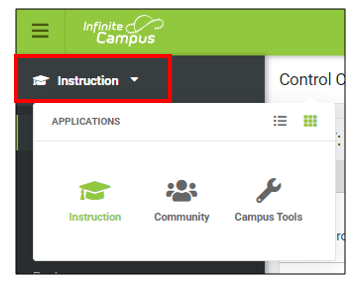
1. At the top left corner, click on "Instruction" te expand the applications.
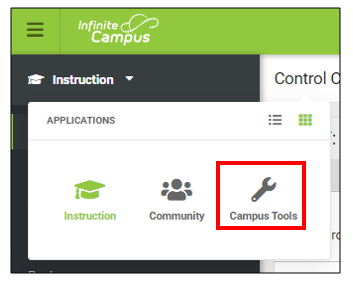
2. Click on "Campus Tools"
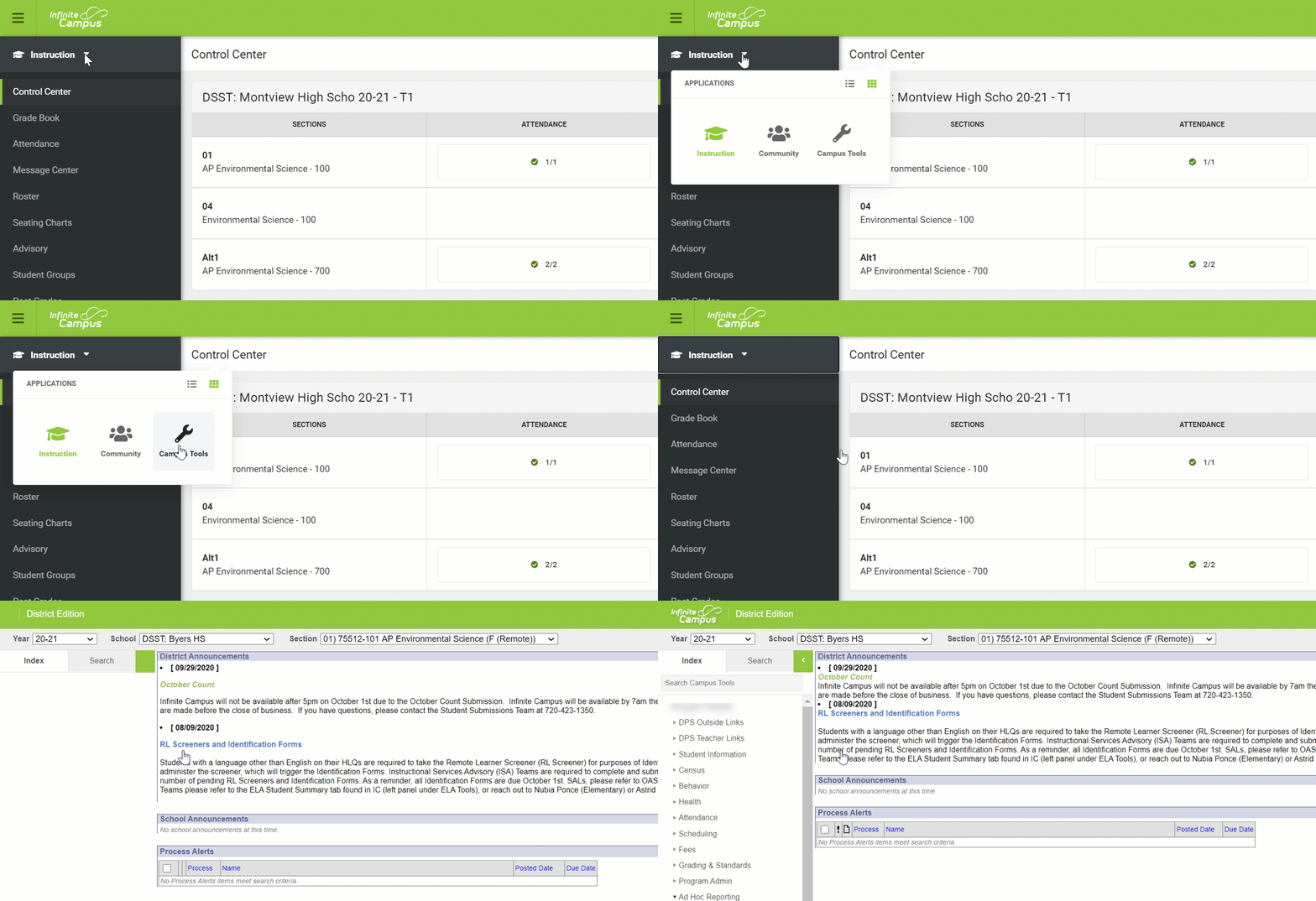
3. Once you click on "Campus Tools" you will be taken to the "Campus Tools" view.
Switch to Instruction View
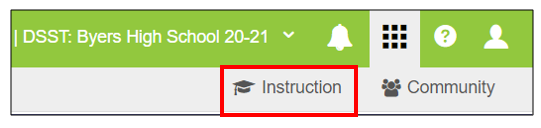
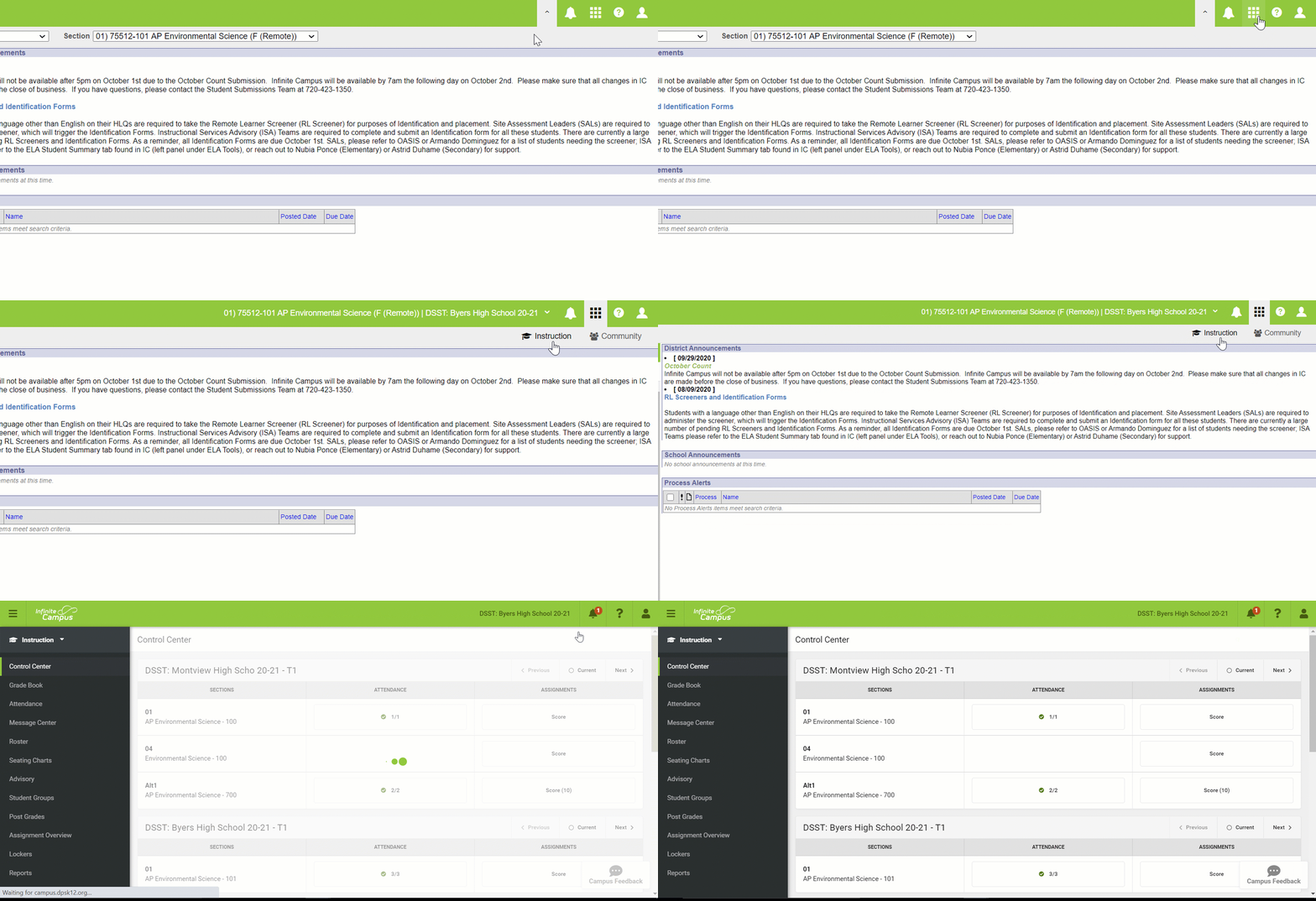
1. Go to the top right corner and click on the Boxes.
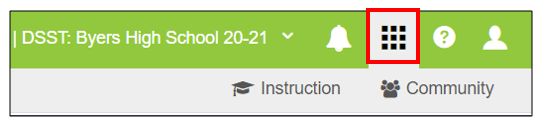
2. Click on "Instruction".
3. You will be taken to the "Instruction" View.
Comments
0 comments
Please sign in to leave a comment.