
Use this guide if:
- You are assigned to multiple schools and you'll need to switch from one school's gradebook to the next
- If you cannot view your gradebook
1. Click on the top right corner and click on the school and the school year. 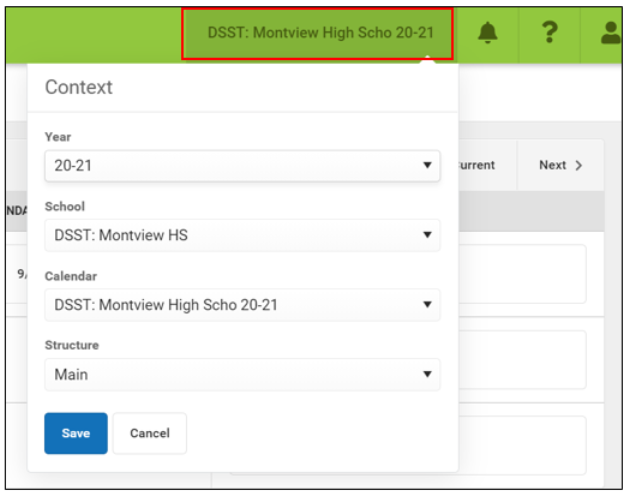
2. Click on the "School" drop-down menu to change the school.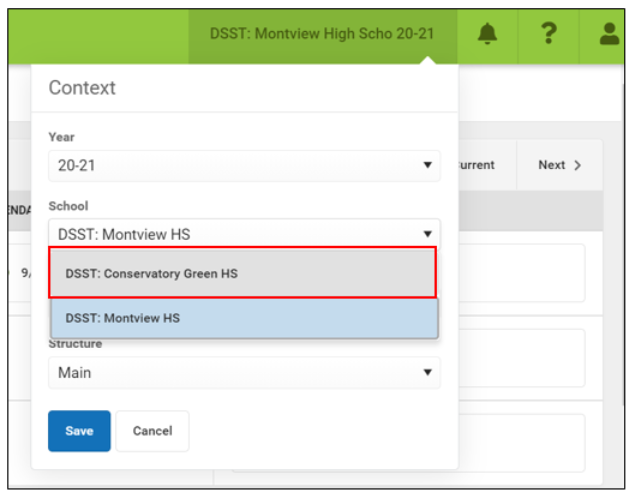
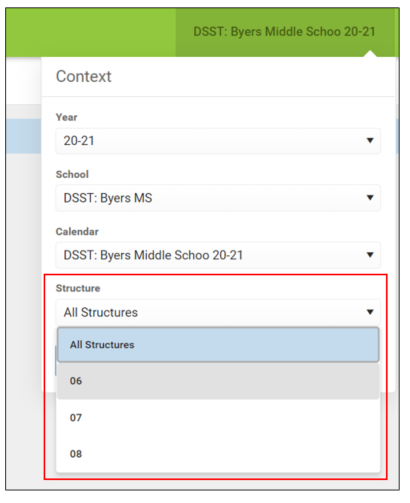
3. IF YOU DO NOT HAVE THE CORRECT STRUCTURE YOU WILL NOT SEE THE GRADEBOOK. To change the structure, click on the "Structure" drop-down menu.
Change the "Structure" where necessary. Some schools have only 1 structure. If your school structure says, "Main" that means there's only 1 structure so there's no need to choose a structure.
For Middle Schools, there might be a 6, 7, and 8th-grade structure. Once you change your structure, you should be able to access the gradebook.
If you teach High School, you might have to switch from Prep Academy to Senior Academy. Once you change the structure, you should be able to access the gradebook.
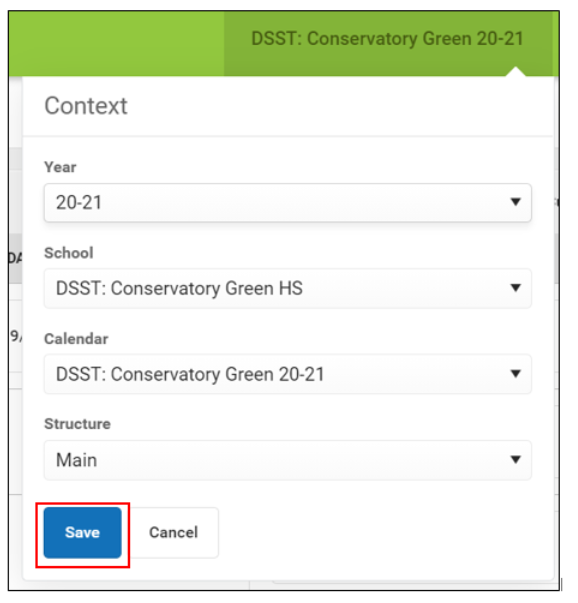
4. Click "Save".
Comments
0 comments
Please sign in to leave a comment.