
Context
Qualtrics is a platform that allows you to create and send surveys. DSST uses Qualtrics for network surveys such as the Mid and End of Year Survey, and the Network Pulse Survey. Any survey that will require a Polaris dashboard to display survey responses, will be required to be sent using Qualtrics. If you do not need a dashboard, you can still use Qualtrics (or Google Forms) to send your survey.
In this article you will find information on:
- How to access Qualtrics
- How to learn the basics
- Information to support you once you are ready to create your first survey
How to access Qualtrics
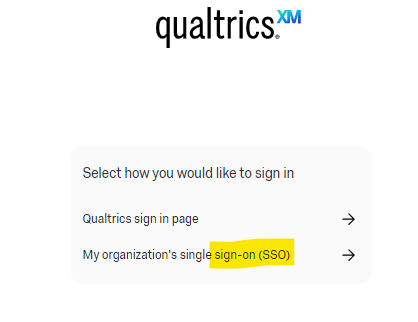
Navigate to dsst.qualtrics.com and select "My organization's single sign-on (SSO)."
How to Learn the Basics
Once you are logged in to Qualtrics, you will be able to access the following trainings. You can do them at your own pace.
Additional Resources
Ready to create your first survey? Follow this guide to learn more.
Please note: If you want your survey data to be reported in a Polaris Dashboard, please complete this form prior to creating your survey.
Comments
0 comments
Please sign in to leave a comment.